
Modern technology often hides its massive scale behind simple interfaces. When pressing play on a high-definition video stream or saving a document to an online folder, the underlying mechanics remain invisible to the user. This invisible infrastructure is the foundation of modern digital life, yet the terminology surrounding it frequently causes confusion. Demystifying this architecture reveals a straightforward concept rooted in centralized data processing and remote accessibility. Understanding how cloud computing works explained in simple terms for beginners provides clarity on a technology that powers everything from small business operations to global enterprise networks.
The Evolution from Local Hard Drives to Remote Servers
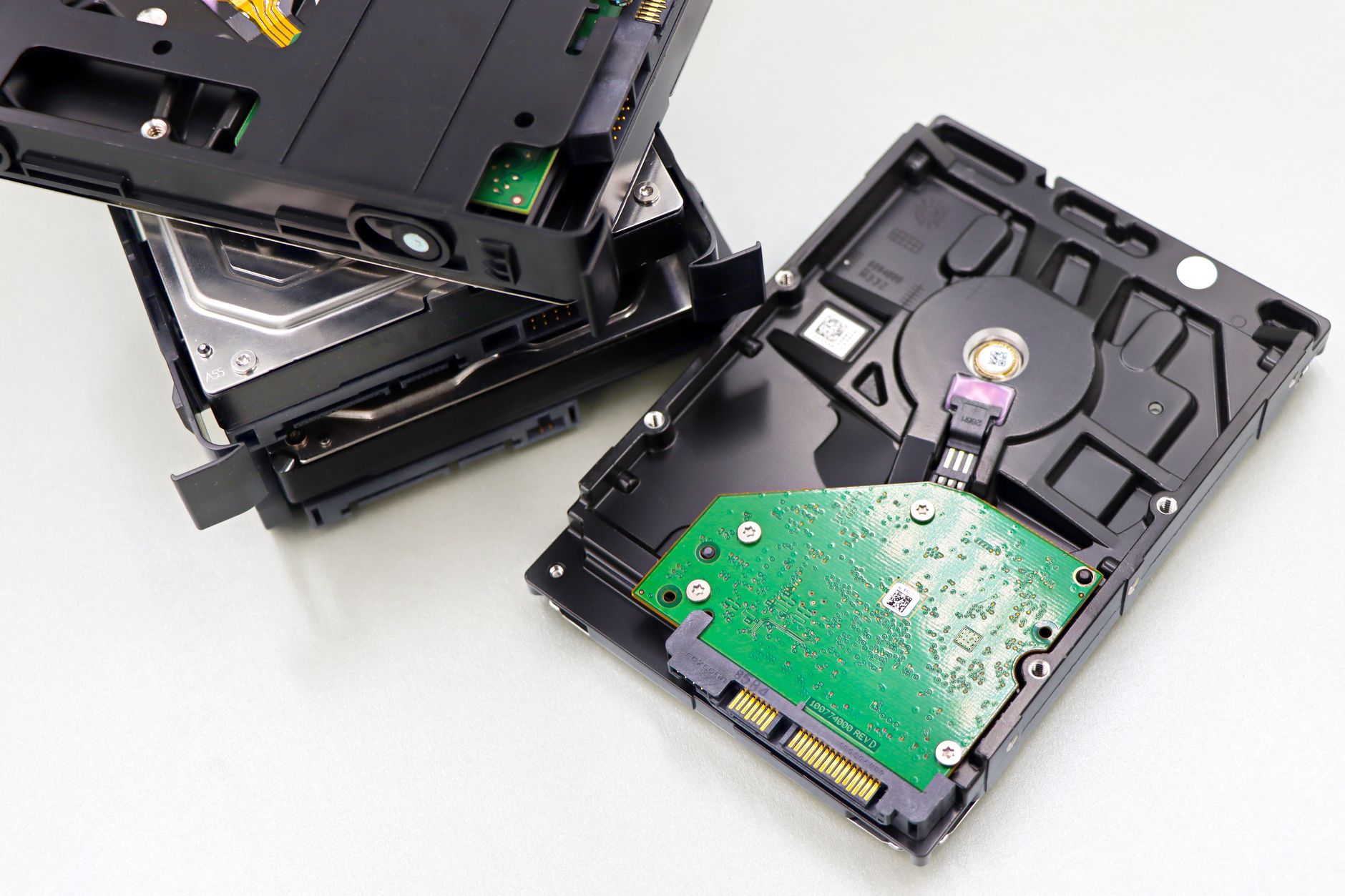
Historically, data storage and software execution relied entirely on physical hardware located directly with the user. Personal computers and office servers required local hard drives, physical compact discs, or external storage devices to maintain files and run applications. This local model meant that hardware failures often resulted in permanent data loss, and expanding storage capacity required purchasing and installing additional physical components.
The transition away from local hardware began with the maturation of high-speed internet connectivity and data center architecture. Instead of processing information locally, organizations and individuals began shifting workloads to massive warehouses filled with high-performance computers. According to a report by the National Institute of Standards and Technology, cloud computing enables ubiquitous, convenient, on-demand network access to a shared pool of configurable computing resources. This shift transformed digital storage from a physical asset into a utility, functioning similarly to electricity or running water delivered through a municipal grid.
Decoding the Core Architecture: Front-End and Back-End
To understand the mechanics of remote data processing, the infrastructure is typically divided into two primary components: the front-end and the back-end.
The front-end represents the client side of the system, comprising the user’s device and the software or web browser used to access the network. This interface acts as the window through which commands are sent and received. A standard web browser on a laptop or a mobile application on a smartphone serves as a front-end portal, translating user inputs into network requests.
The back-end operates out of sight, functioning as the engine room of the infrastructure. This layer consists of vast server farms, centralized databases, and robust management software. When a user initiates a request from the front-end—such as uploading a photograph or editing a spreadsheet—the command travels over the internet to the back-end. The centralized servers process the request, execute the necessary calculations, store the updated data, and transmit the results back to the user’s screen in milliseconds.

Understanding the Three Pillars of Service Models
Remote computing services are categorized into distinct models based on the level of control, flexibility, and management required by the user. These models define the boundaries of responsibility between the service provider and the consumer.
Infrastructure as a Service (IaaS)
Infrastructure as a Service acts as the digital equivalent of renting empty warehouse space. The provider supplies fundamental computing resources, including physical or virtual servers, data storage, and networking hardware. Organizations retain complete control over the operating systems and applications installed on these virtual machines, eliminating the capital expense of purchasing physical hardware.
Platform as a Service (PaaS)
Platform as a Service provides a managed environment specifically designed for software developers. Instead of configuring underlying servers and networking gear, development teams utilize a pre-configured platform to build, test, and deploy applications. This environment streamlines the development lifecycle, allowing creators to focus exclusively on writing code rather than managing hardware maintenance.
Software as a Service (SaaS)
Software as a Service delivers fully functional applications directly to the end user via the internet, typically through a web browser. Users do not install software on local devices or manage updates and patches. Common examples include web-based email clients, online document editors, and customer relationship management tools, all of which operate entirely within the remote infrastructure.
Deployment Models: Public, Private, and Hybrid Environments
Beyond service categories, remote computing infrastructure is deployed across different operational models depending on security, privacy, and accessibility requirements.
Public environments involve infrastructure owned and operated by third-party providers, such as large technology corporations. Multiple organizations share these resources, accessing them over the public internet. This model offers high scalability and cost efficiency, as users only pay for the specific resources consumed.

Private environments are dedicated exclusively to a single organization. The infrastructure may be physically located on-site or hosted by a third-party vendor, but the computing resources are isolated from external users. This configuration provides enhanced security controls and strict compliance adherence, making it favorable for financial institutions and government agencies.
Hybrid environments combine public and private infrastructures, allowing data and applications to be shared securely between them. An organization might utilize a private setup for sensitive financial records while leveraging a public setup for seasonal e-commerce traffic surges. This flexibility optimizes performance and cost management across varying operational demands.
Comparative Overview of Service Models
| Service Model | Primary User Base | User Control Level | Management Responsibility |
|---|---|---|---|
| Infrastructure as a Service (IaaS) | System Administrators, IT Engineers | High Control | User manages OS and apps; Provider manages physical hardware |
| Platform as a Service (PaaS) | Software Developers | Moderate Control | User manages application code; Provider manages runtime and OS |
| Software as a Service (SaaS) | General End Users | Low Control | Provider manages entire application, infrastructure, and updates |
Practical Real-World Applications
The utility of remote data processing extends into daily consumer habits and enterprise operations alike. Consider the mechanism behind modern digital photography storage. Mobile devices capture images, which are automatically transmitted over wireless networks to remote data repositories. The user’s device remains uncluttered by massive media files, while the images remain accessible across multiple devices through synchronized accounts.
In the corporate sector, collaborative document editing demonstrates the efficiency of centralized processing. Multiple participants modify a single document simultaneously from different geographic locations. The changes are processed instantly on remote servers and reflected on all connected screens in real time. This capability eliminates the inefficiencies of traditional file-sharing methods, where multiple disparate versions of a document circulated via email attachments.
Frequently Asked Questions
What keeps data safe in remote servers?
Security relies on multi-layered protection strategies, including advanced encryption algorithms, strict access control protocols, and continuous physical security measures at data center facilities. Data is typically encrypted both in transit across networks and at rest within storage repositories.
Does remote computing require an active internet connection?
Yes, interacting with remote infrastructure requires network connectivity. However, many applications incorporate offline modes that store temporary data locally on the user’s device, automatically synchronizing changes with the remote server once network connectivity is restored.
Can small businesses benefit from these technologies?
Small enterprises utilize these services to eliminate upfront capital expenditures on hardware. By adopting pay-as-you-go models, smaller organizations gain access to enterprise-grade computing power, advanced security, and scalable infrastructure without maintaining dedicated physical server rooms.
Conclusion
Grasping how cloud computing works explained in simple terms for beginners illuminates the foundational mechanics of the modern digital landscape. By shifting the burden of data storage and processing from local devices to massive, centralized data centers, this technology introduces unprecedented levels of efficiency, accessibility, and scalability. Whether utilizing consumer applications or deploying complex enterprise networks, understanding the interplay between front-end interfaces, back-end servers, and deployment models provides a clear perspective on how digital information moves and lives in the twenty-first century. Embracing these concepts prepares individuals and organizations to navigate an increasingly interconnected technological future with confidence and strategic awareness.
Featured Image Credit: Generated/Sourced via Unsplash.
Inline Images Credit: Sourced from Pexels, Unsplash, Pixabay, NASA, Wikimedia, and Openverse free stock databases.
Disclaimer: This article is AI-generated for informational and educational purposes. While we strive to provide high-quality context and authority, the content should not be used as professional advice. The author/website assumes no liability for external links or factual omissions.