

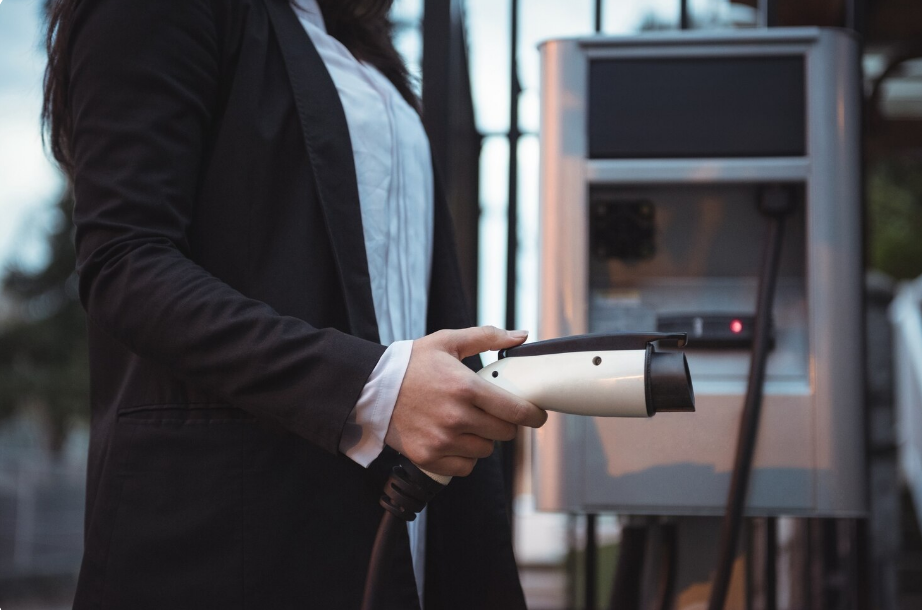
The rapid adoption of electric vehicles has fundamentally transformed how society thinks about transportation and energy consumption. For most electric vehicle owners, the transition means shifting away from public gas stations to the convenience of charging at home. However, modern home charging stations are no longer just simple electrical conduits; they are sophisticated Internet of Things (IoT) devices. Equipped with Wi-Fi connectivity, mobile applications, and complex firmware, these smart chargers offer remote monitoring, scheduling, and energy usage analytics. While these features provide immense convenience, they also introduce significant cybersecurity vulnerabilities directly into the residential network.
When a smart electric vehicle charger connects to a home local area network (LAN), it becomes a potential gateway for malicious actors. If properly exploited, an unsecured charger can allow cybercriminals to intercept data, manipulate power draw, or pivot laterally into the broader home network to access personal computers, financial data, and other sensitive information. Understanding how to secure a home electric vehicle charging station from local network cyber attacks is no longer an optional technical exercise—it is a critical necessity for protecting digital privacy and physical infrastructure.
The Anatomy of a Smart EV Charger and Its Vulnerabilities
To understand how to secure an electric vehicle charger, it is essential to first understand its digital architecture. A modern Level 2 smart charger operates using a microcomputer that manages the flow of high-voltage electricity based on software commands. This microcomputer connects to the home Wi-Fi router, communicates with cloud servers maintained by the charger’s manufacturer, and interfaces with the homeowner’s smartphone via dedicated applications.
This connectivity creates a multi-layered attack surface. The local network—the immediate Wi-Fi environment within the home—is often the weakest link. Unlike enterprise environments that employ dedicated IT security teams, residential networks frequently rely on default settings and aging hardware. Security researchers and organizations focusing on IoT device cybersecurity guidance emphasize that smart home devices, including heavy-duty appliances like EV chargers, are frequently manufactured with a priority on ease-of-use rather than stringent security protocols.
When a charger is deployed with factory default credentials, unencrypted communication protocols, or outdated firmware, it becomes visible and accessible to anyone who manages to breach the home’s Wi-Fi perimeter. Once an attacker is on the local network—perhaps by cracking a weak Wi-Fi password or exploiting a vulnerable smart TV—they can easily scan for other connected devices, identify the EV charger, and begin executing commands.
The Cyber Threat Landscape for Home Charging
The motivations behind hacking a residential electric vehicle charger vary. While some attacks are automated, broad-scale sweeps designed to recruit vulnerable devices into botnets, others can be highly targeted. Understanding the threat landscape provides the necessary context for implementing robust defenses.
Lateral Network Movement
The most severe risk of a compromised EV charger is lateral movement. Cybercriminals often use unsecured IoT devices as beachheads. Because the EV charger sits on the same network as personal laptops, smartphones, and network-attached storage (NAS) drives, a hacker can use the charger to bypass the router’s external firewall. From the charger, they can deploy malware, capture login credentials, or launch ransomware attacks against personal computers. Authorities frequently issue guidance on securing home networks specifically to prevent this type of internal pivoting.
Data Interception and Privacy Loss
Smart chargers constantly transmit data regarding charging schedules, battery health, and energy consumption. An attacker monitoring the local network can intercept this data to deduce behavioral patterns, such as when the homeowners are asleep or away at work. Furthermore, if the charger’s mobile application communicates with the local device using unencrypted protocols, an attacker could potentially harvest login tokens or API keys, granting them permanent remote access to the homeowner’s account.
Operational Disruption and Grid Impact
While localized to a single home, hackers can manipulate the charger to disrupt daily life. An attacker could intentionally disable the charging session overnight, leaving the homeowner with a depleted battery in the morning. On a larger scale, energy experts and organizations monitoring electric vehicle charging infrastructure have raised concerns that coordinated attacks on thousands of unsecured home chargers could be used to create artificial power surges, potentially destabilizing local electrical grids.
How Local Network Attacks Unfold
Local network attacks require the threat actor to have some level of access to the residential Wi-Fi or wired network. This access is typically gained through proximity (wardriving and cracking weak Wi-Fi passwords) or by compromising another loosely secured device on the network, such as a smart bulb or a vulnerable security camera.
Once inside the local network, attackers utilize scanning tools to map active IP addresses. EV chargers often broadcast their presence using standard protocols like UPnP (Universal Plug and Play) or mDNS (Multicast DNS) to make pairing with smartphones easier. The attacker identifies the charger’s IP address and attempts to access its local web interface or diagnostic ports.
If the homeowner has not changed the charger’s default administrative password—often something as simple as “admin” or “12345”—the attacker gains full control instantly. Even without a web interface, attackers can use Man-in-the-Middle (MitM) techniques, like ARP spoofing, to intercept the traffic between the EV charger and the router, allowing them to capture unencrypted data packets or inject malicious firmware updates.
Network Segmentation: The First Line of Defense
The most effective strategy for preventing a compromised EV charger from threatening personal computers is network segmentation. Segmentation involves dividing a single physical home network into multiple isolated virtual networks.
By placing the EV charger on a separate network from personal devices, homeowners ensure that even if the charger is breached, the attacker cannot pivot to access laptops containing financial records or personal emails. Implementing this requires logging into the home router’s administrative dashboard. Many modern routers offer a “Guest Network” feature. Activating the Guest Network and connecting all IoT devices—including the EV charger, smart thermostats, and smart speakers—to this isolated band effectively creates a quarantine zone.
For advanced users, configuring Virtual Local Area Networks (VLANs) provides granular control over device communication. Industry experts providing network segmentation best practices consistently highlight VLANs as the gold standard for separating untrusted IoT appliances from sensitive personal computing devices.
Hardening the Home Router and Wi-Fi Network
Because local network attacks rely on breaching the Wi-Fi perimeter, securing the home router is paramount. The router acts as the front door to the digital home; if the router is vulnerable, every device behind it, including the EV charger, is at risk.
Implementing Strong Encryption
Homeowners must ensure their Wi-Fi network utilizes the highest available encryption standard. Older protocols like WEP or WPA are easily cracked using readily available software. Upgrading to WPA2-AES, or ideally WPA3, provides robust cryptographic protection against unauthorized access. Organizations like the Wi-Fi Alliance strongly advocate for WPA3, as it includes protections against brute-force dictionary attacks, making it exponentially harder for hackers to guess Wi-Fi passwords.
Disabling Vulnerable Router Features
Many routers ship with convenience features that inherently weaken security. Wi-Fi Protected Setup (WPS), which allows devices to connect via a push-button or a short PIN, is notoriously vulnerable to brute-force attacks. Homeowners should disable WPS entirely within the router’s settings. Additionally, Universal Plug and Play (UPnP), which allows devices to automatically open firewall ports, should be turned off to prevent an infected IoT device from exposing itself to the broader internet.
Updating Credentials and Firmware
The router’s administrative login—the credentials used to access the settings dashboard—must be changed from the factory defaults. Furthermore, regularly applying firmware updates to the router patches known vulnerabilities. Consumers looking for comprehensive router safety guidelines will find that maintaining up-to-date firmware is universally cited as a foundational cybersecurity practice.
Device-Level Security Configurations for EV Chargers
Securing the network perimeter is crucial, but the EV charger itself must also be fortified. When setting up a new smart charger, users should immediately review the manufacturer’s documentation to access the local configuration interface, either via a web browser or the companion mobile app.
Changing Default PINs and Passwords
The absolute first step in securing the physical device is changing any default access codes. This includes the Bluetooth pairing PIN, the local web interface password, and the account password for the mobile application. Utilizing a long, complex, and unique passphrase ensures that automated credential-stuffing attacks will fail.
Managing Smart Features and Authentication
When evaluating smart charger features, it is important to balance convenience with security. Many chargers offer a “plug-and-charge” mode where anyone who physically plugs the cable into a vehicle can draw power. While physical theft of electricity is a concern, the digital equivalent involves an attacker remotely activating the charger. Disabling auto-start features and requiring authentication—such as an RFID card swipe or an authorization tap within the mobile app—adds a critical layer of verification.
Disabling Unnecessary Connectivity
If a homeowner only uses the charger to refuel their vehicle overnight and does not require complex scheduling, API integrations, or real-time energy monitoring, the safest option is often to disconnect the charger from the Wi-Fi entirely. A “dumb” charger—one without internet connectivity—is virtually immune to local network cyber attacks. If Wi-Fi is necessary for firmware updates, users can connect the device temporarily, apply the update, and then remove the network credentials from the charger’s memory.
The Role of Firmware Updates and Mobile App Security
Cybersecurity is not a set-it-and-forget-it endeavor. Vulnerabilities in software are discovered daily. Manufacturers respond to these discoveries by releasing firmware updates that patch security holes.
Homeowners must ensure their EV chargers are running the latest firmware. Some chargers can be configured to install updates automatically during off-peak hours, while others require manual approval via the mobile app. Delaying these updates leaves the device exposed to publicly known exploits.
Similarly, the mobile application used to control the charger represents a potential attack vector. The smartphone running the app must be secured with biometric locks and up-to-date operating systems. Utilizing Multi-Factor Authentication (MFA) on the EV charger account ensures that even if an attacker manages to steal the user’s password, they cannot access the account without the secondary physical token or code sent to the homeowner’s device. As the integration between mobile devices and automotive systems deepens, adhering to broader vehicle cybersecurity principles becomes increasingly relevant for everyday consumers.
Physical Security Considerations
Digital security measures can be circumvented if an attacker gains physical access to the device. Most home EV chargers are installed in garages or on exterior walls. If a charger is mounted outside, it is exposed to anyone walking onto the property.
An attacker with physical access could potentially reset the device to factory defaults by holding down a hardware button, thereby erasing the homeowner’s custom passwords and network segmentation efforts. Once reset, the attacker could connect to the charger’s default Wi-Fi hotspot and reconfigure it maliciously.
To mitigate physical threats, homeowners should install the charger in a locked garage whenever possible. For outdoor installations, utilizing tamper-resistant screws, installing motion-sensor security lighting, and placing the charger within the view of a security camera acts as a strong deterrent. Furthermore, homeowners can install a manual disconnect switch or utilize the electrical panel breaker to cut power to the charger entirely when departing for extended vacations, eliminating any possibility of remote activation or physical tampering.
🌟 Comparison: Standard EV Charger Setup vs. Hardened Security Configuration 🌟
| Security Feature | Standard Default Setup | Hardened Security Configuration |
| Network Assignment | Connected to the main home Wi-Fi network. | Isolated on a Guest Network or dedicated IoT VLAN. |
| Authentication | Factory default admin password and simple PIN. | Complex, unique passphrase and Multi-Factor Authentication (MFA). |
| Session Initiation | Auto-start / Plug-and-charge enabled. | Requires RFID tap or mobile app authorization to begin charging. |
| Router Settings | WPS enabled, UPnP active, WPA2 encryption. | WPS disabled, UPnP disabled, WPA3 encryption enforced. |
| Firmware Maintenance | Rarely updated, out-of-the-box software. | Automatic updates enabled or checked monthly for patches. |
| Physical Access | Mounted outdoors, continuously powered on. | Mounted inside a locked garage or powered down at the breaker during vacations. |
Future-Proofing Charging Infrastructure
As the ecosystem of electric vehicles evolves, so too will the communication protocols between the car, the charger, and the electrical grid. Innovations such as Vehicle-to-Grid (V2G) technology, which allows EVs to discharge battery power back into the home or the municipal power grid during peak demand, are becoming a reality.
While V2G offers tremendous energy efficiency benefits, it fundamentally changes the EV charger from a one-way power valve into a bidirectional energy trading node. This level of interconnectivity introduces unprecedented risks. Cybersecurity professionals studying smart grid considerations note that an unsecured V2G charger could theoretically be used to inject malicious data into the utility provider’s network or manipulate household energy billing.
Securing the home charger today establishes the foundational hygiene required for the advanced energy networks of tomorrow. By treating the EV charger not as a simple household appliance, but as a high-voltage, internet-connected computer, homeowners can safely enjoy the benefits of electric mobility without compromising their digital safety. Proactive defense measures—ranging from network segmentation to robust password management—form a protective barrier against the escalating threat of cybercrime aimed at residential infrastructure.
Frequently Asked Questions About EV Charger Security
Can a hacker overcharge an electric vehicle battery through the home network?
Generally, no. Modern electric vehicles are equipped with an internal Battery Management System (BMS). The BMS physically controls the maximum voltage and state of charge, acting as a failsafe. Even if an attacker commands the home charger to deliver continuous maximum power, the vehicle’s internal computer will reject the current once the battery reaches its safe capacity limit.
Does turning off the EV charger’s Wi-Fi connection make it completely secure from network attacks?
Yes. Disconnecting the charger from the local Wi-Fi network eliminates its exposure to remote network vulnerabilities. Without a network connection, a cybercriminal cannot access the device remotely. However, removing Wi-Fi connectivity will disable smart features such as remote scheduling, mobile app monitoring, and automated firmware updates.
Are all electric vehicle charging stations considered IoT devices?
No. Basic Level 1 chargers (the standard cables that plug into a regular wall outlet) and many non-smart Level 2 chargers operate solely on electrical logic without microprocessors, Wi-Fi chips, or Bluetooth radios. These “dumb” chargers cannot connect to a network and are therefore immune to digital cyber attacks.
How do I know if my EV charger has been compromised?
Signs of a compromised charger may include unexplained spikes in household energy usage, the charger initiating sessions at odd times, the mobile app locking the user out, or the router logging unusual data transfers from the charger’s IP address. If a breach is suspected, users should disconnect the charger from the Wi-Fi network, perform a factory reset, and update all network passwords before reconnecting. For guidance on reporting and recovering from digital breaches, resources from organizations tracking local network cybercrime can provide actionable mitigation steps.
Is it necessary to use a VPN for my home EV charger?
Most standard home routers cannot route individual IoT devices through a Virtual Private Network (VPN) without complex configurations, and EV chargers do not support native VPN apps. Instead of a VPN, isolating the charger on a separate VLAN or Guest Network is the most practical and effective method for securing its local network traffic.
Conclusion: The Road Ahead for EV Security
The integration of smart technology into automotive infrastructure brings undeniable efficiency and convenience to daily life. The ability to monitor energy usage, schedule charging during off-peak utility rates, and pre-condition a vehicle’s climate control from a smartphone represents a significant leap forward in consumer technology. However, this convenience requires an updated approach to residential cybersecurity.
Securing a home EV charging station is not an insurmountable task, nor does it require a background in advanced computer science. By applying fundamental cybersecurity hygiene—treating the home network perimeter with respect, changing default credentials, segmenting IoT devices away from personal computers, and staying vigilant with firmware updates—homeowners can neutralize the vast majority of local network cyber threats.
As electric vehicles become the standard mode of transportation, the charging equipment attached to homes will only become more integrated with municipal power grids and personal digital lives. Recognizing the vulnerabilities inherent in these connected devices today ensures that the infrastructure remains secure, resilient, and reliable for the future.