

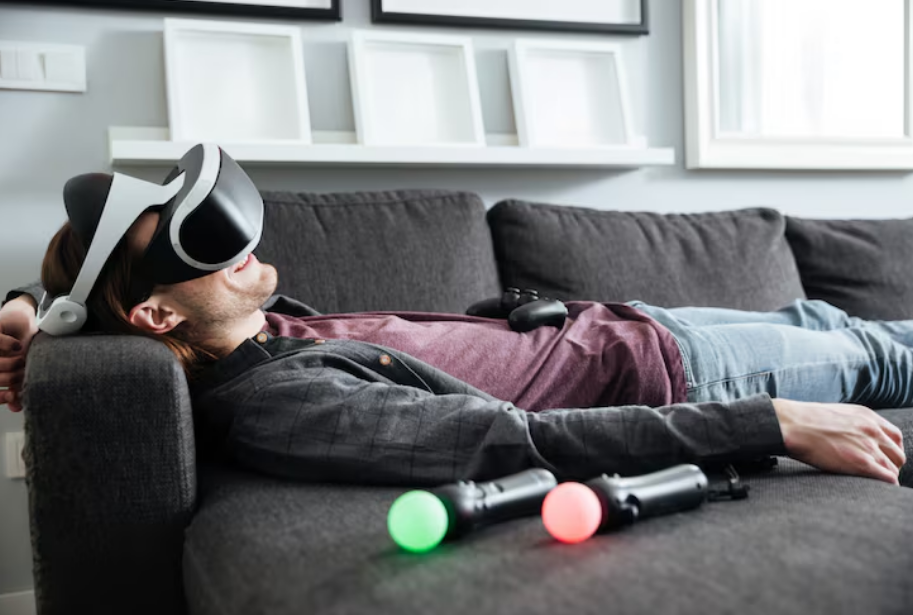
Spatial computing has fundamentally transformed the concept of the modern workstation. By utilizing virtual reality (VR) and mixed reality (MR) headsets, professionals can now replace cramped laptop screens with infinite, customizable arrays of virtual monitors. However, as the transition from physical offices to VR desktop environments accelerates, a significant physiological barrier prevents many from adopting this technology for extended daily work sessions: cybersickness.
Cybersickness, the specific variant of motion sickness triggered by virtual reality exposure, can quickly derail productivity, causing symptoms that range from mild eye strain and dizziness to severe nausea and fatigue. Unlike traditional motion sickness experienced in a moving vehicle, cybersickness occurs when the eyes perceive motion or spatial shifts while the physical body remains stationary. When attempting to draft reports, analyze spreadsheets, or code software in a virtual environment for eight hours a day, mitigating these physiological responses becomes a critical ergonomic necessity.
This comprehensive guide examines the root causes of VR motion sickness in productivity environments and provides highly effective, scientifically supported strategies for preventing it. By optimizing hardware, adjusting software configurations, and modifying physical workspaces, professionals can achieve comfortable, extended work sessions in spatial computing environments.
Understanding the Mechanisms of VR Motion Sickness
To effectively prevent cybersickness, it is necessary to understand the underlying biological mechanics. The prevailing scientific explanation for this phenomenon is the sensory conflict theory.
According to research shared by medical authorities such as the Mayo Clinic, motion sickness arises when the central nervous system receives conflicting messages from the sensory systems—specifically the eyes, the inner ear (vestibular system), and the body’s deep tissue proprioceptors.
In a VR desktop environment, the user might virtually turn their head to look at a massive curved monitor, causing the visual system to process dynamic movement. However, if the digital environment shifts even slightly out of sync with physical head movement, or if the virtual background implies motion, the vestibular system detects a discrepancy. This mismatch signals to the brain that something is biologically wrong, triggering a stress response that manifests as nausea.
Furthermore, visually induced motion sickness (VIMS) can be triggered simply by the brain processing complex, unnatural digital light patterns for extended periods. Studies documented by the National Institutes of Health indicate that VIMS is heavily influenced by optical flow, latency, and the specific ways digital text and images are rendered closely to the retina. In productivity applications, where users focus intently on small text for long durations, even microscopic rendering stutters can accumulate into severe motion sickness.
Hardware Calibration for a Nausea-Free Setup
The foundation of a comfortable VR workspace begins with the hardware itself. Unlike casual gaming sessions, using VR for a daily 9-to-5 job requires rigorous hardware calibration.
Interpupillary Distance (IPD) Precision
Interpupillary Distance (IPD) is the measurement in millimeters between the centers of the pupils. Because VR headsets use dual lenses to create a stereoscopic 3D effect, the optical center of these lenses must align perfectly with the user’s pupils.
If the IPD is misaligned by even a few millimeters, the eyes are forced to constantly compensate to converge the image. As highlighted by the American Academy of Ophthalmology, chronic eye strain is a direct contributor to headaches and nausea. Before beginning any VR work session, measure the exact IPD using an optician’s ruler or a dedicated smartphone application, and lock the headset’s mechanical or digital IPD adjustment to that precise number.
Refresh Rates and System Latency
In the realm of spatial computing, frame rate is deeply tied to physical comfort. The refresh rate, measured in Hertz (Hz), determines how many times per second the display updates.
Research published in IEEE Xplore highlights that lower refresh rates introduce micro-stutters that the subconscious brain detects, exacerbating sensory conflict. For extended productivity sessions, a headset must output a minimum of 90Hz. If the hardware supports it, pushing the refresh rate to 120Hz provides an incredibly smooth experience that drastically reduces vestibular strain.
Equally important is motion-to-photon latency—the time it takes for a physical head movement to be reflected on the virtual screen. When using wireless PC-VR streaming for desktop environments, high network latency can cause a “swimming” effect where the virtual monitors lag behind head movements. To minimize latency:
- Use a dedicated Wi-Fi 6 or Wi-Fi 6E router placed in the same room as the headset.
- Hardwire the host computer directly to the router via an Ethernet cable.
- If wireless performance is unstable, utilize a high-bandwidth USB-C tether to connect the headset directly to the computer.
Headset Fit and Weight Distribution
Physical discomfort compounds motion sickness. A headset resting too heavily on the cheekbones or the bridge of the nose creates localized pressure that accelerates tension headaches, which quickly evolve into nausea. Utilizing aftermarket rigid head straps with counterweights attached to the back of the head helps balance the device. A properly balanced headset prevents the optics from slipping out of the “sweet spot” during head movements, maintaining clear, distortion-free text that keeps VIMS at bay.
Software Optimization: Designing the Virtual Workspace
The way the virtual environment is configured plays a massive role in whether a user experiences cybersickness during a long workday.
The Power of Mixed Reality and Passthrough
One of the most effective breakthroughs in preventing VR motion sickness is the utilization of color passthrough technology. Instead of placing virtual monitors in a fully immersive, simulated environment (such as a virtual cabin or space station), passthrough utilizes the headset’s external cameras to display the physical room behind the virtual screens.
This solves the sensory conflict problem instantly. By anchoring the user’s peripheral vision to the real, stationary world—seeing a physical desk, a coffee cup, or a window—the brain’s spatial awareness mechanisms remain grounded. The eyes and the inner ear agree that the body is sitting in a static room, drastically extending the amount of time one can comfortably work.
Optimizing Virtual Monitor Ergonomics
When setting up virtual displays, physical ergonomic principles still apply. The Occupational Safety and Health Administration (OSHA) notes that improper monitor placement leads to musculoskeletal and visual strain. Translating this to VR:
- Distance: Place virtual monitors at an apparent distance of at least 1.5 to 2 meters away. Pulling virtual screens too close forces the eyes to maintain unnatural convergence, leading to a phenomenon known as vergence-accommodation conflict, a primary driver of VR nausea.
- Curvature: Apply a slight curve to ultrawide virtual displays. This keeps the edges of the screen equidistant from the eyes, reducing the need to refocus when scanning from left to right.
- Scale: Make the screens larger and push them further back, rather than keeping them small and close.
- Gaze Angle: Position the top edge of the primary virtual monitor at or slightly below eye level to maintain a neutral neck posture.
Eliminating Artificial Locomotion and Ambient Animation
Productivity environments should be entirely static. When selecting virtual environments (if full immersion is required for focus), avoid backgrounds with moving elements like floating clouds, blowing trees, or passing spaceships. Subconscious tracking of these moving background elements while focusing on stationary foreground text confuses the vestibular system. Ensure that the virtual seating position is completely locked in place, disabling any joystick locomotion that could accidentally shift the environment while typing.
Environmental and Physical Preventive Strategies
Beyond the headset and the software, modifying the physical room and personal habits provides an essential layer of defense against motion sickness.
Proprioceptive Grounding via Directional Airflow
A highly effective, clinical technique for combating cybersickness involves placing a physical desk fan directly in front of the workstation, aimed at the user’s face or torso. This serves multiple physiological functions. First, it cools the body, directly counteracting the hot flashes and perspiration that precede a nausea spike. Second, and more importantly, the constant breeze provides a directional physical anchor. This continuous tactile feedback reminds the brain of its exact orientation in physical space, significantly mitigating the sensory mismatch.
Implementing the Modified 20-20-20 Rule
Standard screen fatigue protocols are even more vital in spatial computing. The American Optometric Association recommends the 20-20-20 rule: every 20 minutes, look at an object 20 feet away for 20 seconds.
In a VR setting, taking the headset completely off every 20 minutes might disrupt workflow. Instead, professionals can implement a modified approach: every 20 minutes, double-tap the headset to enter full passthrough mode, close the eyes tightly for a few seconds to lubricate the corneas, and then look out a physical window or across the room through the passthrough cameras. Taking the headset completely off for 5 to 10 minutes every hour is strongly recommended to allow the vestibular system to reset entirely.
Dietary Adjustments and Natural Remedies
Digestion directly impacts susceptibility to motion sickness. Working in VR immediately after consuming a heavy, high-fat, or highly acidic meal increases the likelihood of gastric discomfort if visual-vestibular conflict occurs.
Dietary integration of natural antiemetics can pre-emptively calm the stomach. Clinical studies supported by the National Center for Complementary and Integrative Health demonstrate that ginger is highly effective at reducing nausea and vomiting associated with motion sickness. Consuming ginger tea, ginger chews, or ginger supplements 30 minutes before an extended VR work session can stabilize the digestive tract and increase overall tolerance to spatial computing environments. Additionally, maintaining high hydration levels regulates blood pressure and intraocular pressure, both of which affect comfort in VR.
Habituation: Earning “VR Legs”
The human brain is highly adaptable. Neuroplasticity allows users to slowly build a tolerance to virtual environments, a process colloquially known in the industry as developing “VR legs.” For those transitioning to VR desktop environments, jumping straight into an eight-hour shift is a guaranteed path to severe motion sickness.
The adaptation process must be gradual:
- Days 1-3: Work in VR for no more than 15–20 minutes at a time, limiting usage to simple tasks like reading emails.
- Days 4-7: Increase sessions to 45 minutes, utilizing MR passthrough modes exclusively.
- Week 2: Begin stringing multiple 45-minute sessions together, separated by 15-minute physical breaks.
- Week 3 and beyond: Gradually introduce fully immersive environments if desired, carefully monitoring physiological feedback.
The most critical rule of habituation is to never “push through” the sickness. The moment mild dizziness, sweating, or stomach awareness begins, the headset must be removed. Attempting to endure the discomfort trains the brain to associate the headset with illness, creating a psychological aversion that is incredibly difficult to break.
Visualizing Key Mitigation Factors
To optimize a workstation effectively, it helps to understand which adjustments provide the highest impact.
VR Workstation Optimization: What Impacts Motion Sickness Most?
| Optimization Factor | Technical Action | Impact on Motion Sickness | Primary System Benefited |
| Visual Anchoring | Enabling Mixed Reality Passthrough | Extremely High | Vestibular System |
| Frame Pacing | Securing 90Hz+ Refresh Rate | High | Visual Cortex |
| Optical Alignment | Precise IPD Measurement/Setting | High | Ocular Musculature |
| Tactile Grounding | Using a Directional Desk Fan | Medium/High | Proprioceptive System |
| Screen Proximity | Pushing Virtual Monitors >1.5m away | Medium | Ocular Focus (Vergence) |
| System Latency | Hardwiring Router to PC (Ethernet) | High | Visual/Vestibular Sync |
| Dietary Prep | Ginger Consumption / Hydration | Medium | Gastrointestinal System |
Future Implications of VR in the Workspace
As the hardware continues to evolve, the barriers to prolonged VR productivity will naturally decrease. Advanced headsets are beginning to incorporate dynamic eye-tracking that supports foveated rendering, a technique that drastically improves text clarity exactly where the user is looking while saving processing power. Furthermore, innovations in varifocal displays will soon eliminate the vergence-accommodation conflict entirely, allowing the eyes to focus on virtual objects exactly as they do in the physical world.
Major business analyses, such as those found in the Harvard Business Review, suggest that spatial computing will become a standard enterprise tool within the next decade. Professionals who learn to navigate and mitigate cybersickness today are positioning themselves at the forefront of this digital workspace revolution, enabling an unprecedented level of focus and digital multitasking.
Frequently Asked Questions (FAQ)
Why do I get dizzy reading text in VR but not when playing VR games?
Productivity tasks require intense ocular focus on small, static elements (text and numbers) for long periods. Any micro-movements of the head or microscopic latency in the display render causes the text to jitter slightly. The eyes strain to maintain focus, leading rapidly to vergence-accommodation conflict and dizziness. Games, conversely, rely on large, moving visuals that encourage constant shifting of the gaze, which is more natural for the eyes.
Does working in a darker virtual environment help with motion sickness?
It varies by individual, but generally, high contrast and extreme brightness exacerbate eye strain, which fuels nausea. Utilizing “Dark Mode” on virtual desktop applications and ensuring the virtual environment is evenly, dimly lit can reduce photon bombardment on the retinas, extending overall comfort time.
How long does it take for a complete beginner to adapt to an 8-hour VR workday?
While neuroplasticity varies, most individuals require two to four weeks of consistent, incremental exposure to comfortably work in a VR headset for a full workday. This assumes the user is taking proper breaks and utilizing high-quality, properly calibrated hardware.
Can blue light blocking lenses prevent VR sickness?
While blue light lenses are excellent for reducing general digital eye strain and preventing circadian rhythm disruption, they do not directly prevent the sensory conflict that causes vestibular motion sickness. They are a helpful addition to a comfortable setup, but hardware calibration and passthrough modes are far more critical for preventing nausea.
Is it safe to take over-the-counter motion sickness medication for VR work?
While medications like dimenhydrinate (Dramamine) are effective at suppressing the vestibular system’s nausea response, they frequently cause significant drowsiness and cognitive impairment. This makes them highly counterproductive for professional work. Natural alternatives like ginger, combined with the hardware and environmental optimizations discussed above, are vastly preferable for daily productivity.
Conclusion
Transitioning to a spatial computing workspace offers unparalleled opportunities for focus, multi-monitor customization, and workflow optimization. However, the biological reality of cybersickness remains a formidable obstacle. By understanding that motion sickness is essentially a defense mechanism triggered by sensory data discrepancies, users can systematically address the root causes.
Success in VR desktop environments requires a holistic approach. It demands rigorous attention to hardware calibration—specifically precise IPD settings, high refresh rates, and low latency network configurations. It relies heavily on intelligent software choices, leveraging mixed reality passthrough to keep the brain anchored to the physical world. Finally, it requires physical discipline: employing directional airflow, respecting structured visual breaks, and allowing the body the necessary time to gradually habituate to the digital environment.
As spatial computing continues to integrate into modern professional life, mastering these preventive strategies is essential. By meticulously designing an ergonomic and biologically sympathetic virtual setup, professionals can leave cybersickness behind, unlocking the full, boundless potential of the virtual workspace.